
Every calendar in one place. You decide what shows.
I share calendars with my family. I got tired of everyone's appointments cluttering my view. So I built filtering that hides what you don't need without touching anyone else's calendar.
Read the announcement · The story behind this app · Request a feature · Visit caffeinatedcalendar.com





The app is always free. Try multi-device sync free for 14 days, no credit card required.
Works Everywhere
Phones, tablets, and desktops. The mobile app adapts to whatever screen you have, and the desktop version is a native application built specifically for your computer, not a mobile app running in a wrapper.
Offline-First
Your calendar loads instantly, even without internet. Changes sync when you’re back online. For multi-device sync of app settings and filters, a Caffeinated Account subscription is available.
Free to Use
No ads and no AI. Every feature works on every device. Add a sync subscription to keep your filters, views, and configurations on all your devices.
Plan Your Week
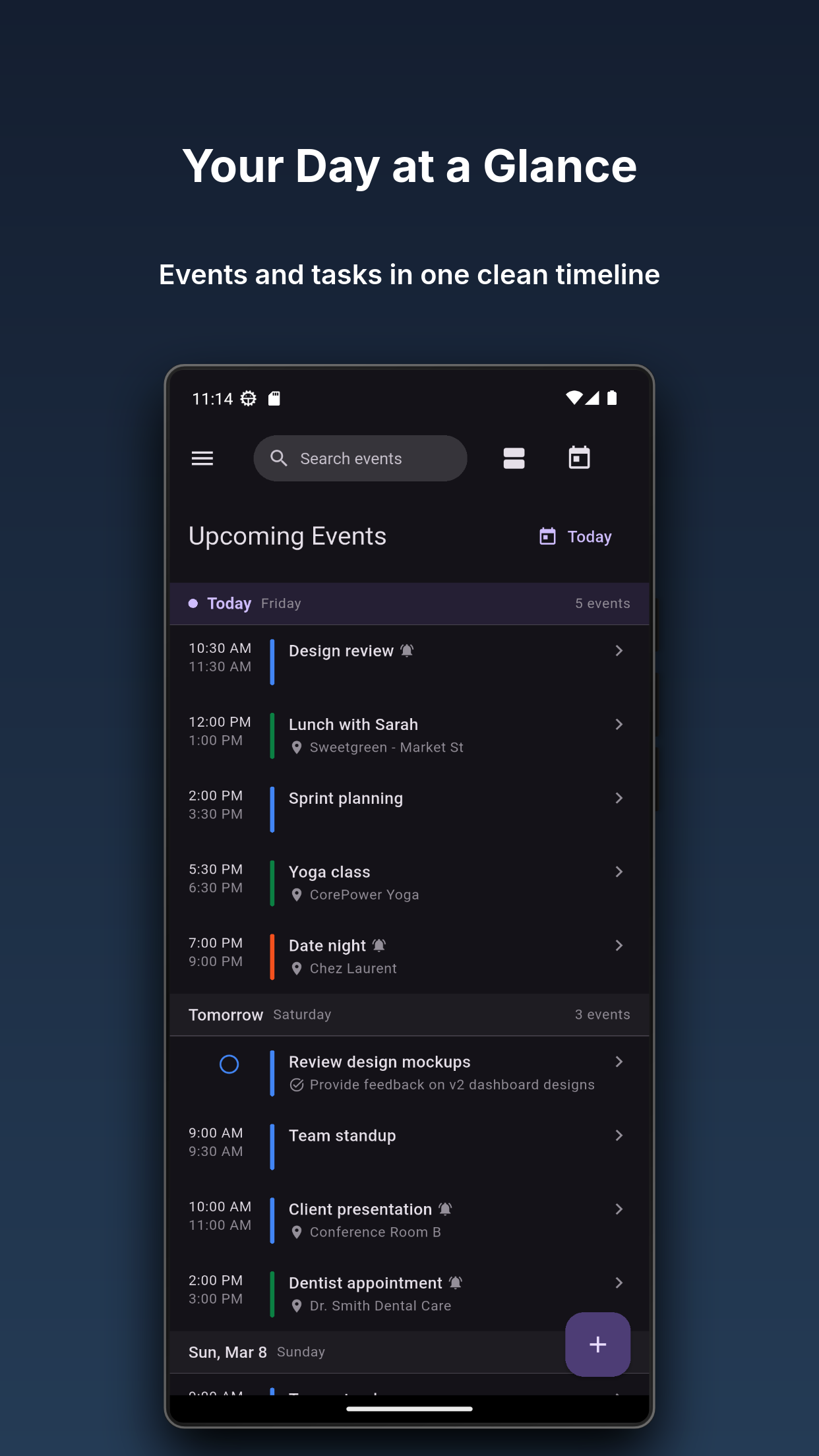
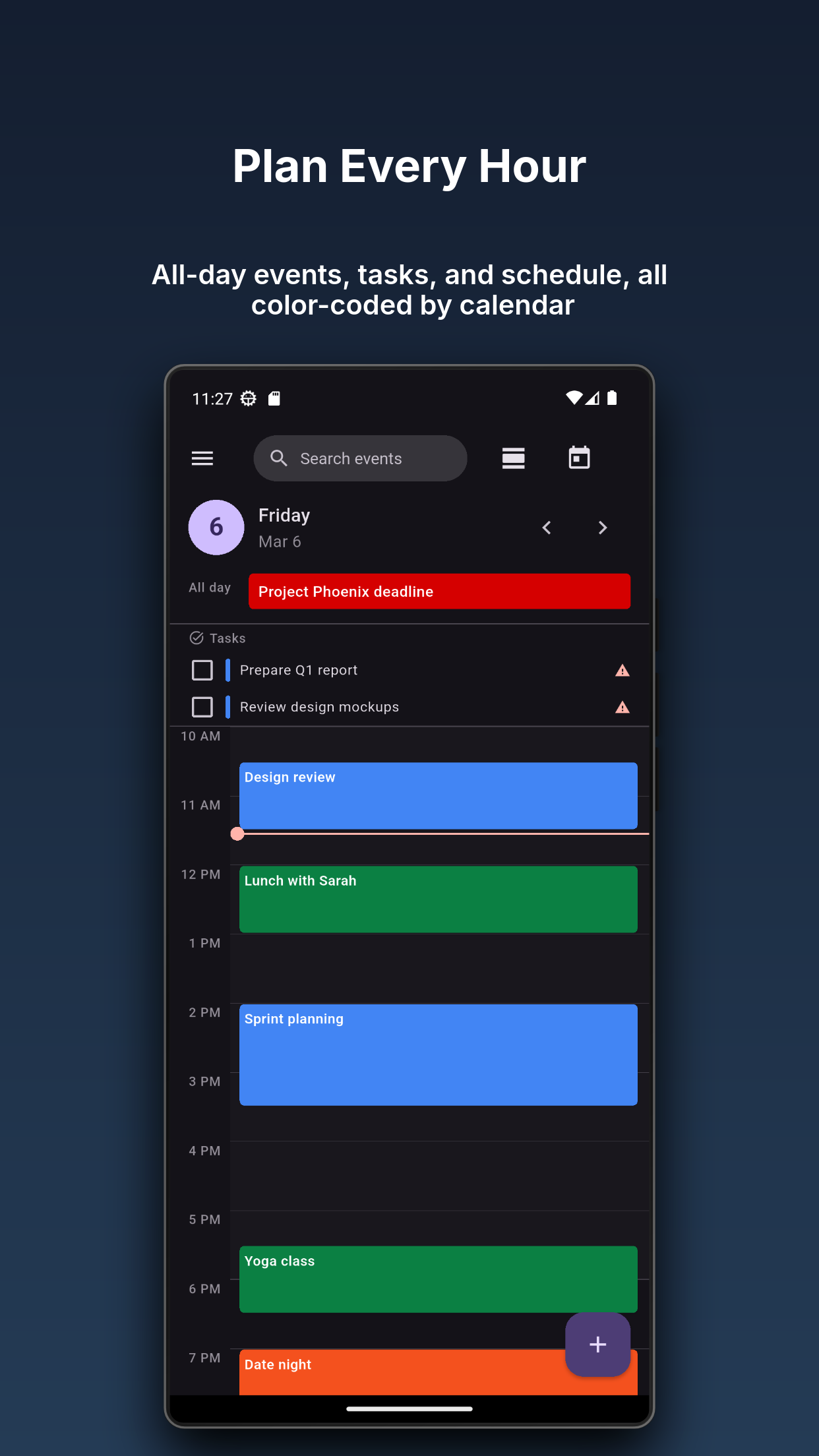
See your whole week at a glance. Drag between day, week, month, year, and agenda views however you like.
Smart Filtering
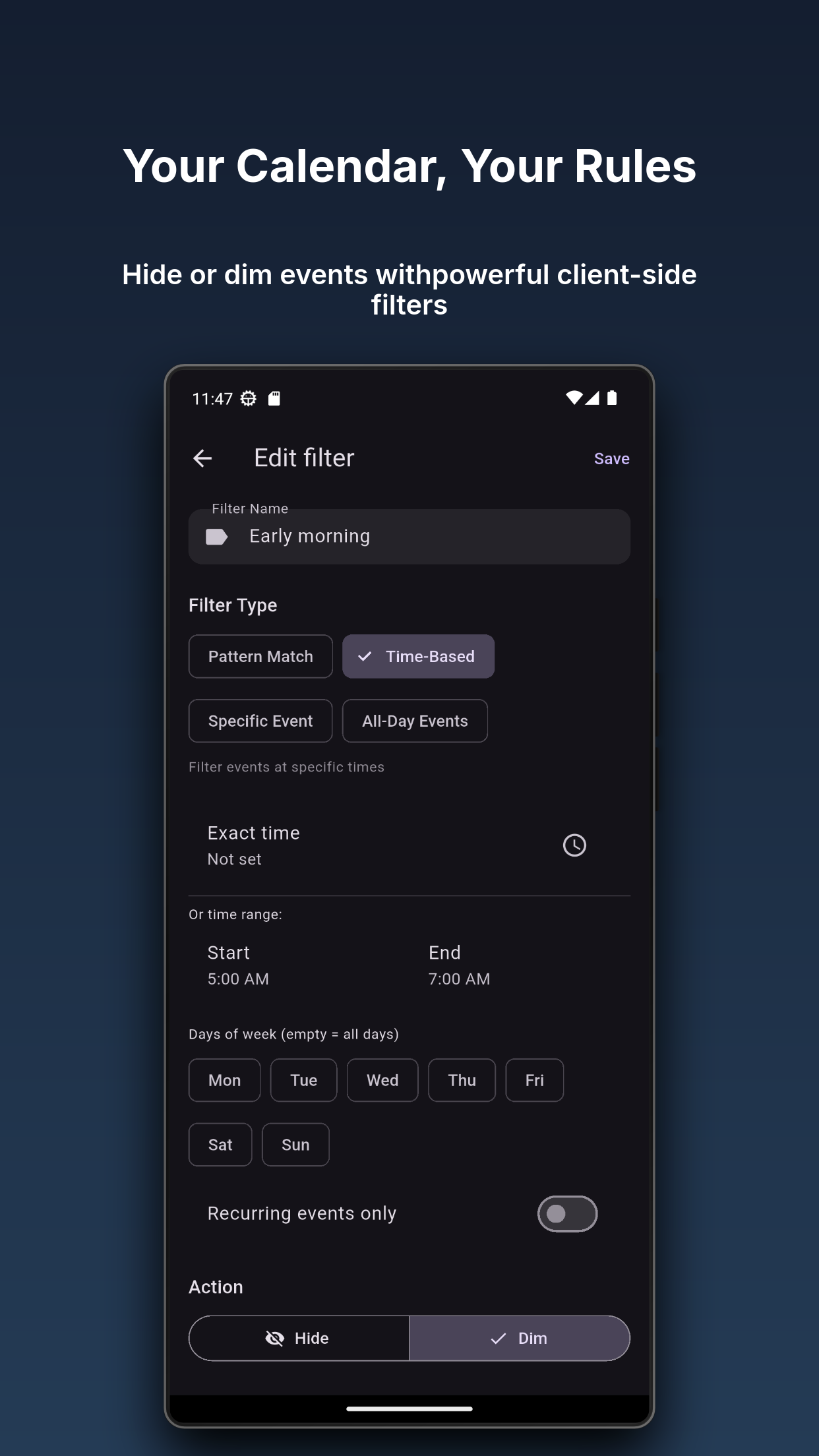
Hide events you don’t need to see. Long-press any event to create a filter rule in seconds.
No Account Required
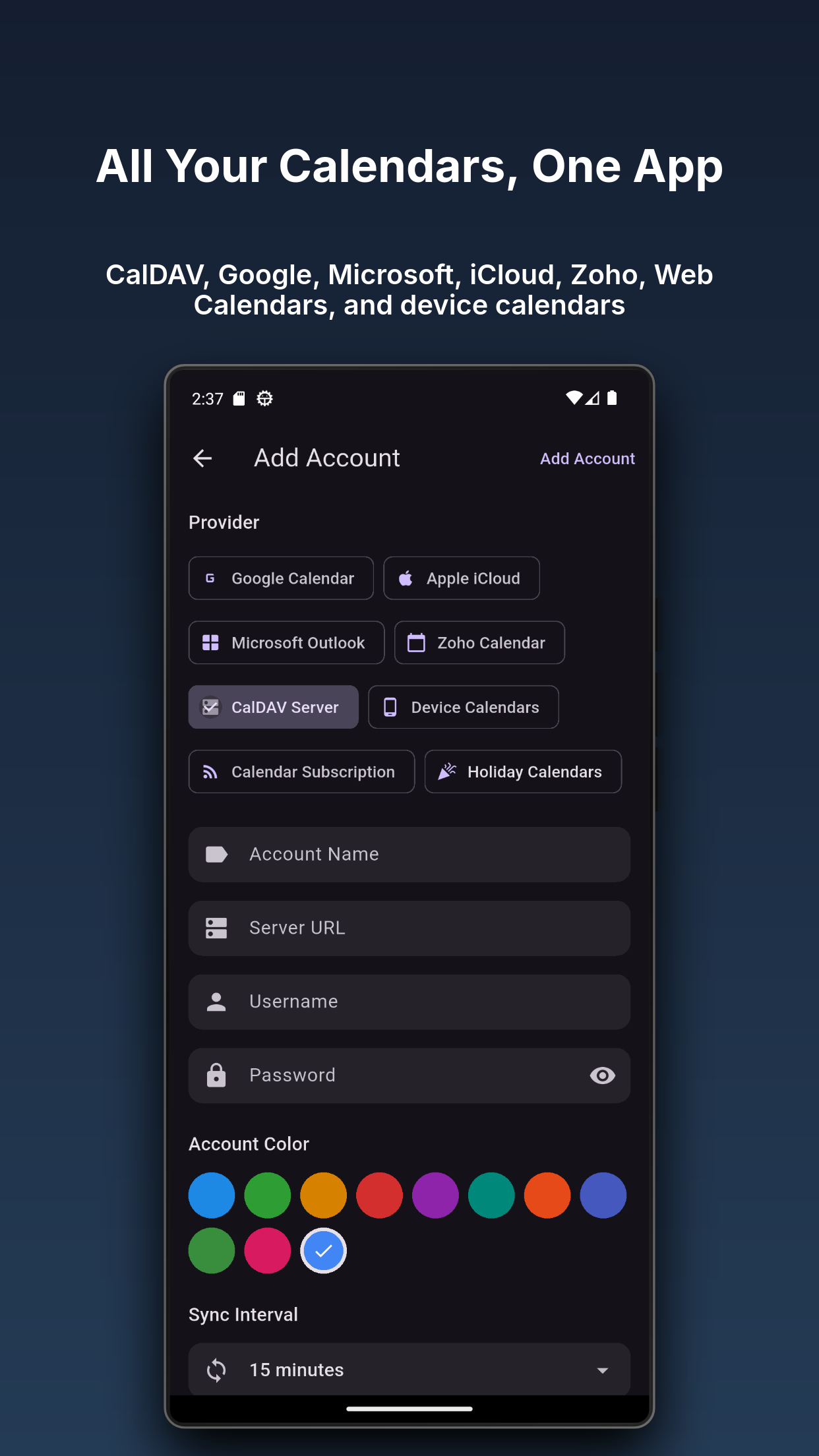
Connect directly to Google Calendar, iCloud, Office 365, or any standard calendar server. No Caffeinated Softworks account needed.
Additional Screenshots
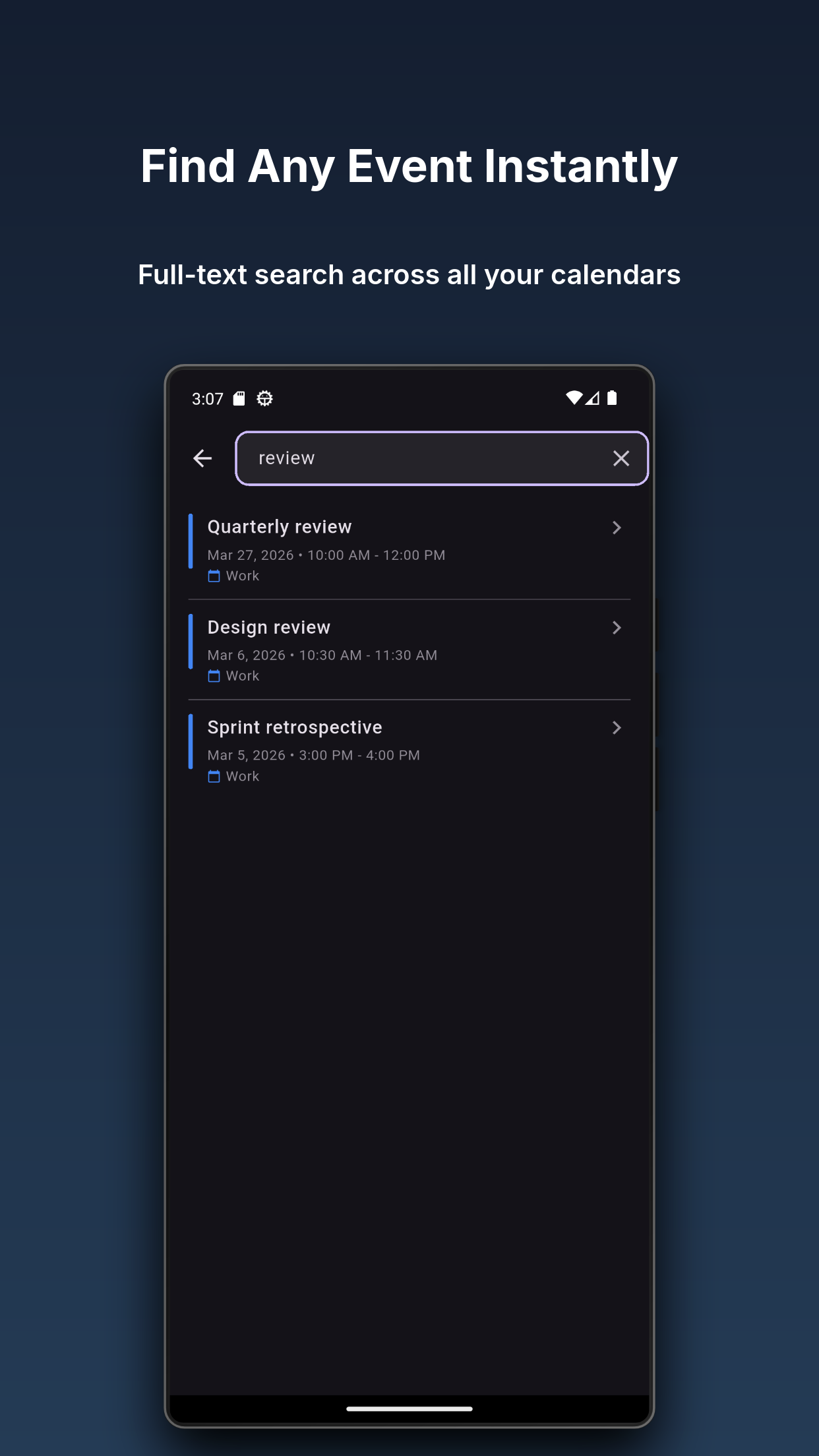
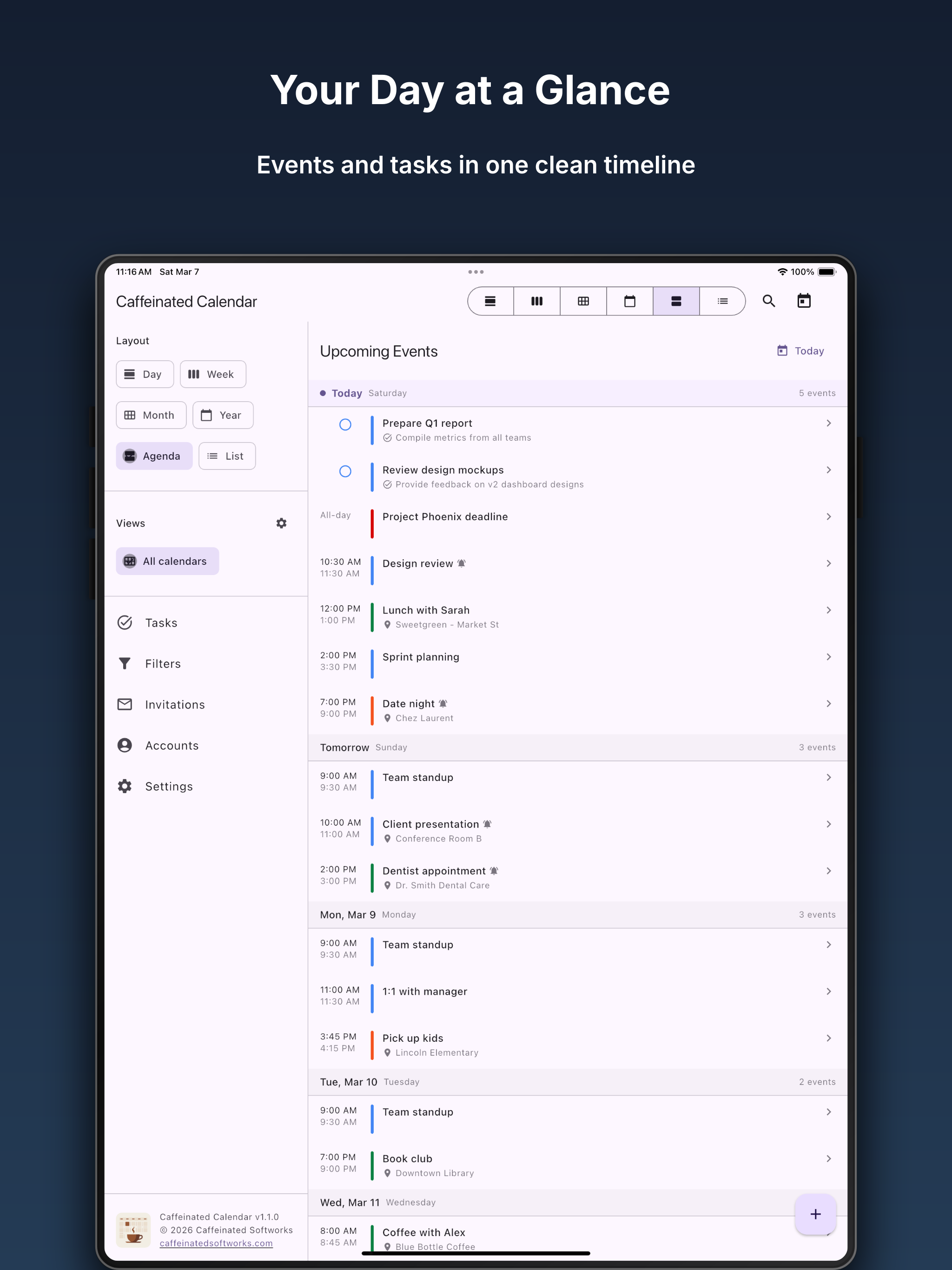
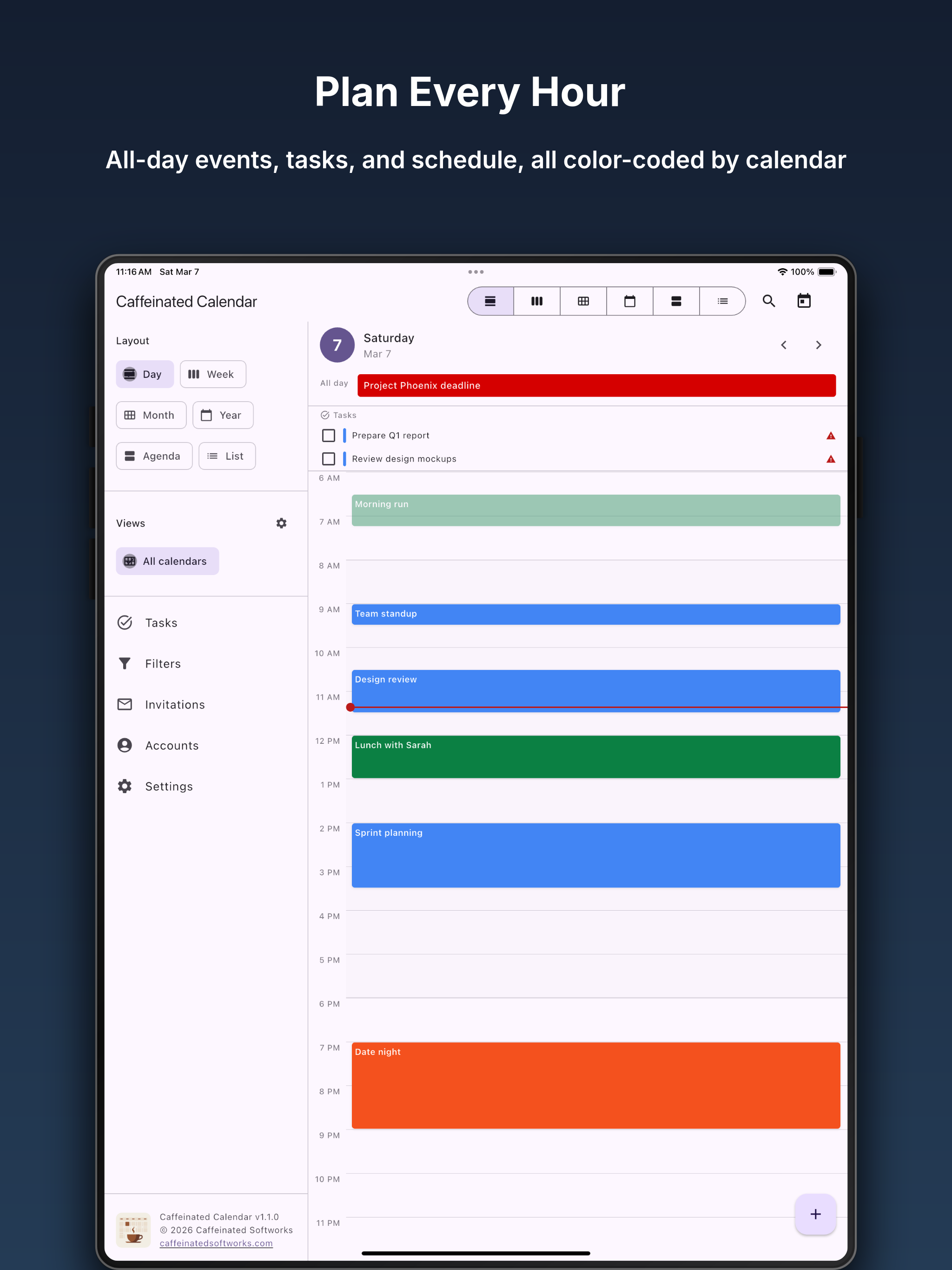
Caffeinated Calendar is a free calendar app that brings all your calendars together in one place. It connects directly to Google Calendar, iCloud, Microsoft Office 365, Zoho, and other standard calendar services, with your events staying between you and your calendar provider.
Shared Calendars Get Messy
You share a calendar with your spouse, your kids, maybe your church group. Suddenly you’re looking at everyone’s dentist appointments, medication reminders, and soccer practices. Most calendar apps give you two choices: see everything, or hide the whole calendar.
Caffeinated Calendar lets you filter individual events without affecting anyone else. Long-press an event you don’t want to see, tap “Create Filter,” and it’s gone from your view. Filter by keyword, time of day, specific events, or all-day events. Hide them completely, or dim them so they fade into the background.
Quick Add with Natural Language
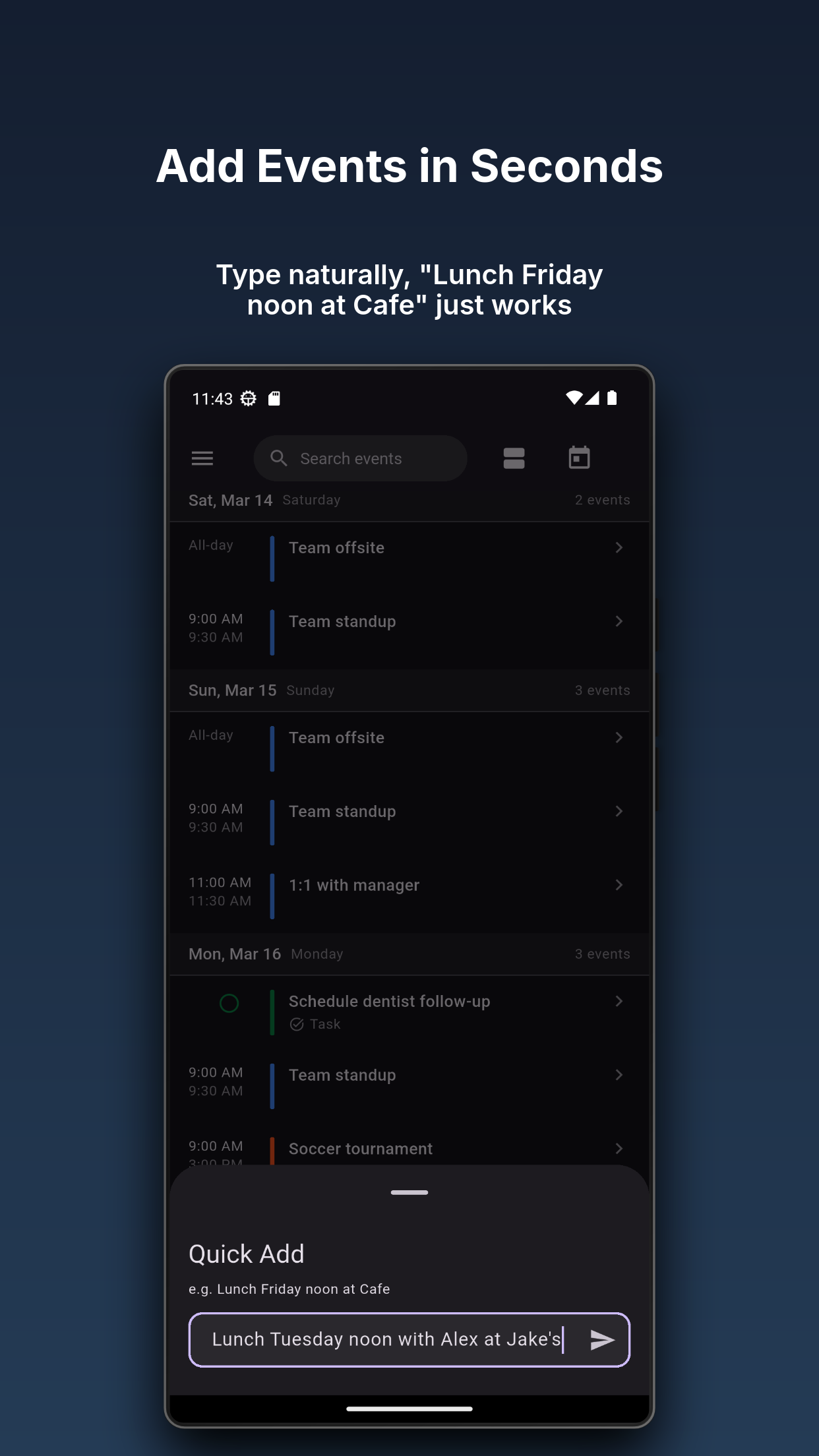
Type “Lunch Friday noon at Cafe” and the app parses the date, time, and location for you. Quick Add is available from the app bar, a home screen widget, or the app icon shortcut.
Tasks Alongside Your Events
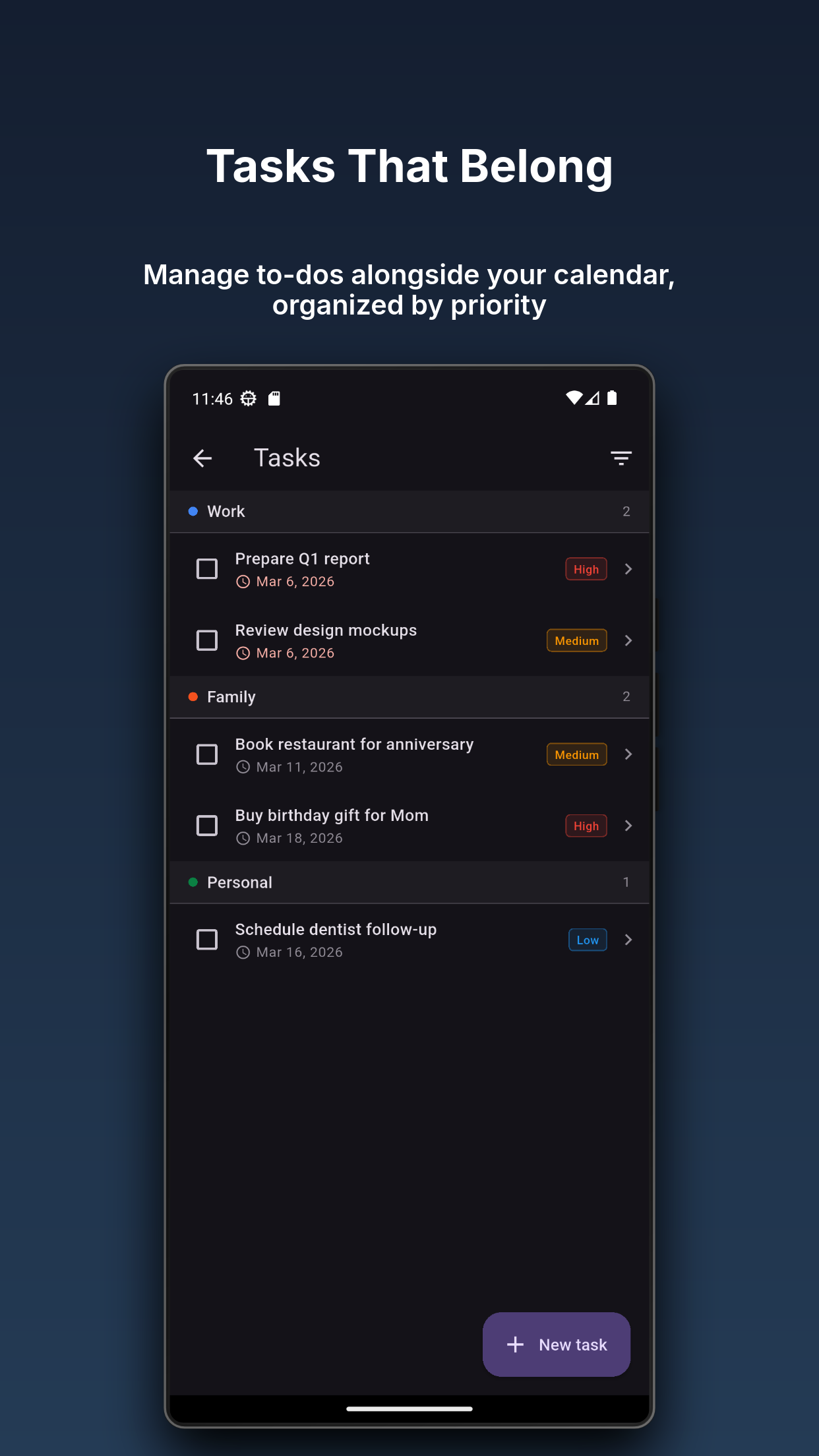
Full task management built right in. Create tasks with priorities, due dates, and subtasks. Tasks sync with your calendar provider just like your events and show up in your Agenda and Day views so you can see everything you need to do in one place.
Recurrence Without Limits
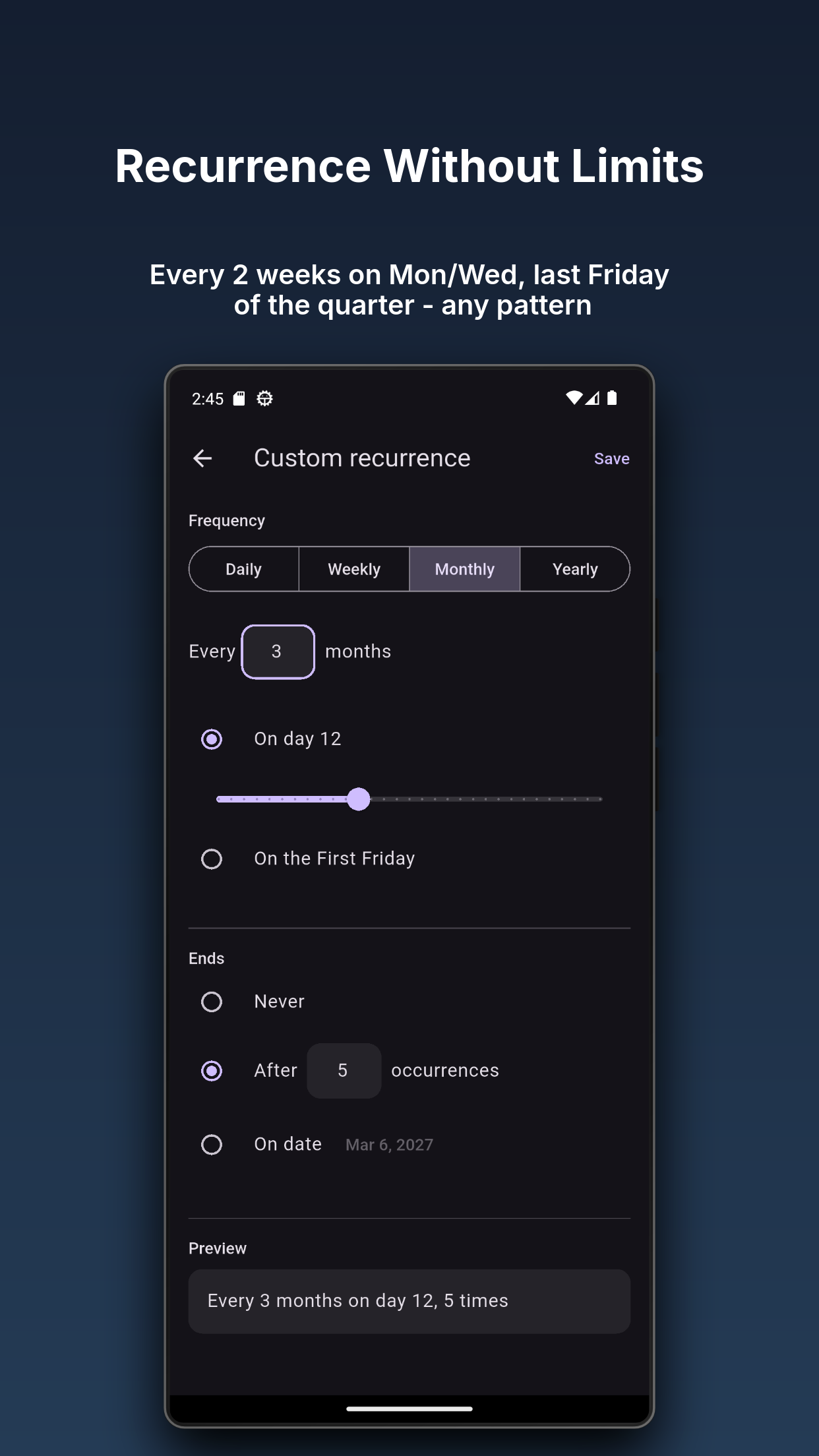
Every 2 weeks on Monday. Last Friday of the quarter. The 12th of every 3 months, 5 times. Whatever pattern you need, the recurrence editor handles it. Edit a single instance, all future instances, or the entire series.
RSVP and Invitations
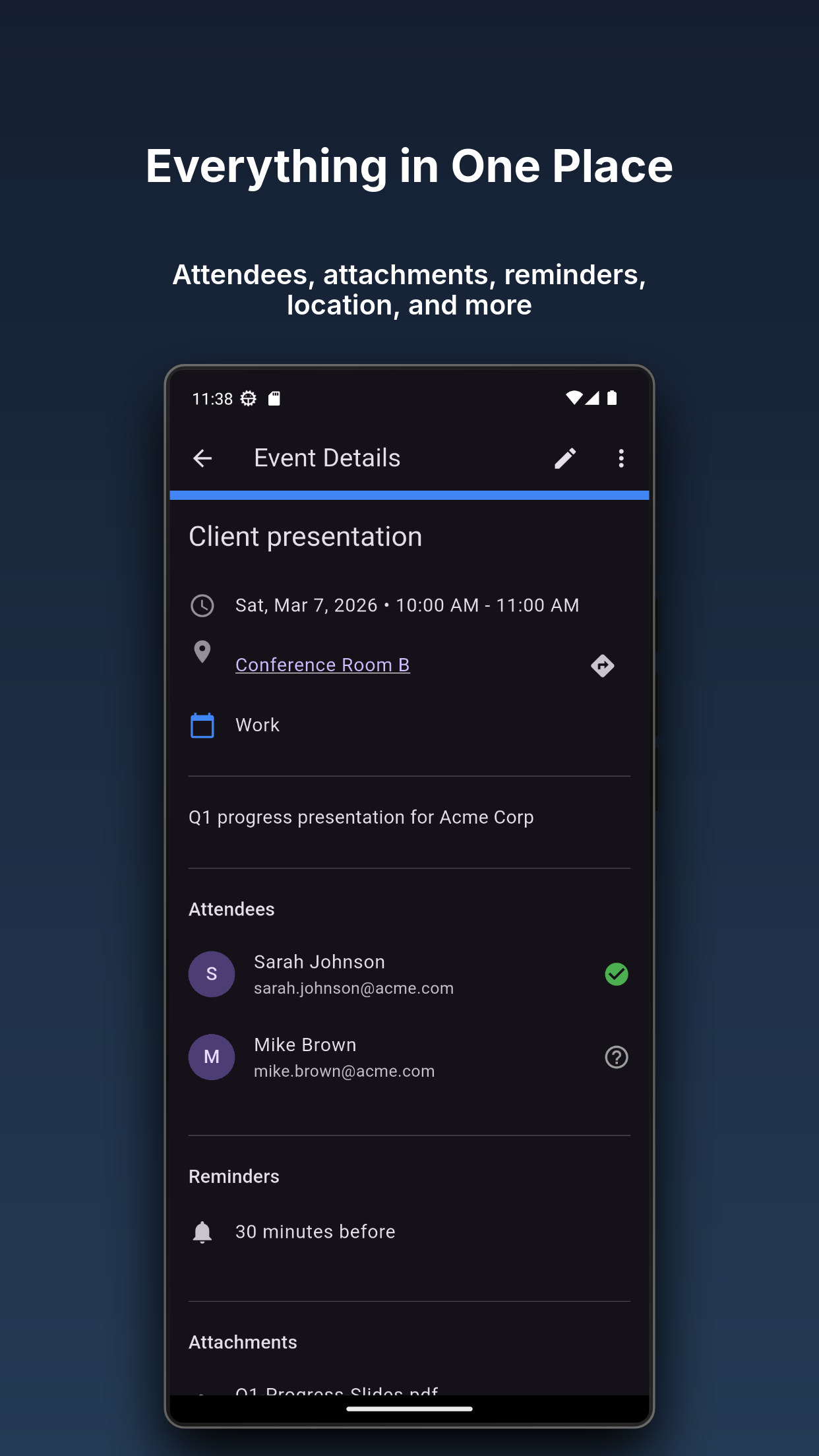
Accept, decline, or mark tentative directly from the event detail screen. Pending invitations get their own tab with a badge count so nothing slips through.
Privacy by Default
Your calendar data stays on your device and syncs directly with your calendar providers. Google and Microsoft use secure sign-in so the app never stores your password. All other credentials go into your device’s secure storage. There are no analytics, no telemetry, and no ads. We never see your events or login information.
Widgets
Agenda, month, and quick-add widgets on both Android and iOS. Widgets respect your filter rules and update automatically after any change or sync.
Caffeinated Calendar is a Caffeinated Softworks product.
Latest from the Caffeinated Calendar Blog
- Caffeinated Calendar 1.3.6
Signing in on a second device no longer splits your calendar into copies, edits and deletions now travel between every device, desktop sync starts at sign-in, a …
- Caffeinated Calendar 1.3.5
The iOS app was rebuilt around native tab bars, action sheets, and iPad popovers, older events now load as you scroll with a new Sync history setting, tasks …
- Caffeinated Calendar 1.3.4
Reminders are a new kind of item with their own screen and snoozable notifications, the Grid and Days views come to iOS and Android, Quick Add now creates …
Get Caffeinated Calendar